When creating a Vitis SW Application, organize the Peripheral Driver (Header, Source) files and User Header, Source files in a folder tree as follows.
However, after organizing them in this folder tree and building the project, errors may occur stating that the files cannot be found.
Therefore, you need to add the paths so that the ARM GCC Compiler and Linker can find these files.
2. Setting the Search Paths for the ARM GCC Compiler/Linker
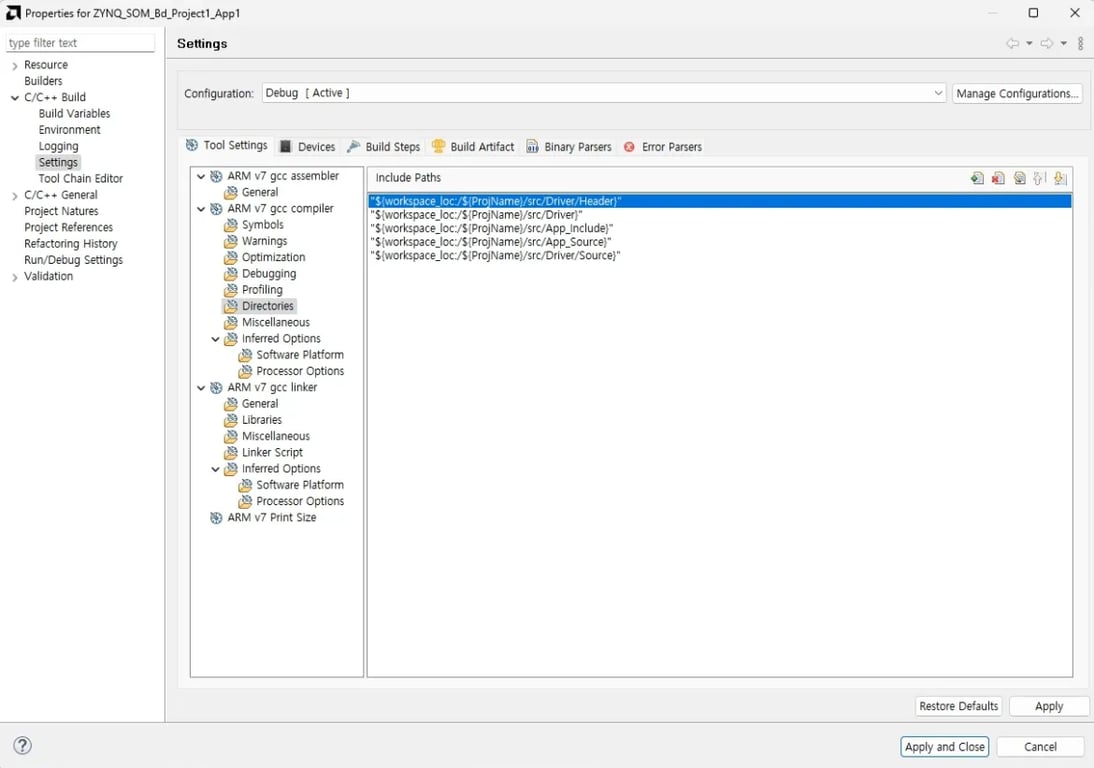
① Adding Folder Search Paths for the ARM GCC Compiler
Add the paths of all the folders we created as follows.
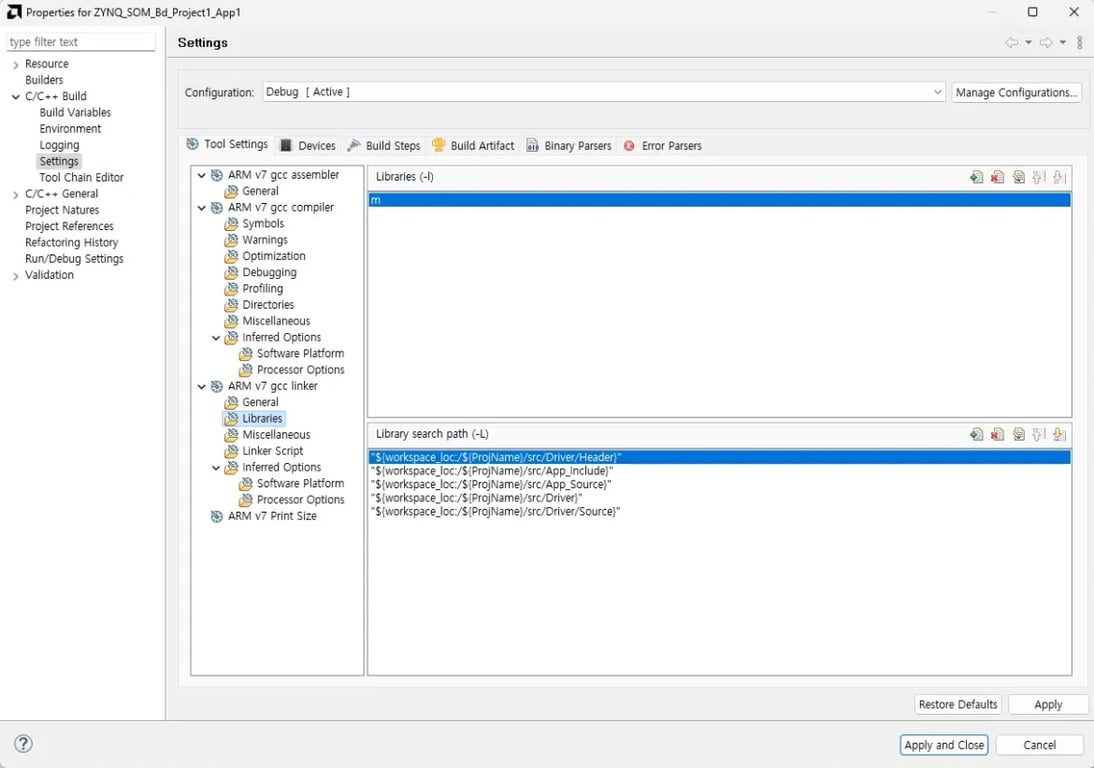
② Adding Library Search Paths for the ARM GCC Linker
Similarly, add the paths of all the folders we created. (Note: To use functions from math.h, you need to add ‘m’ to Libraries as shown below.)
3. Set the Optimization Level for the ARM GCC Compiler
Set the Optimization Level of the ARM GCC Compiler to ‘None (-O0)’. (This is to prevent our code from being optimized out and deleted by the compiler’s optimization.)